
SLS vs MJF (and metal) for printed bolts and threads
SLS vs MJF for threads and moving parts: how powder printing works, real clearances, what it costs at a print service — and whether to ever print a metal bolt.
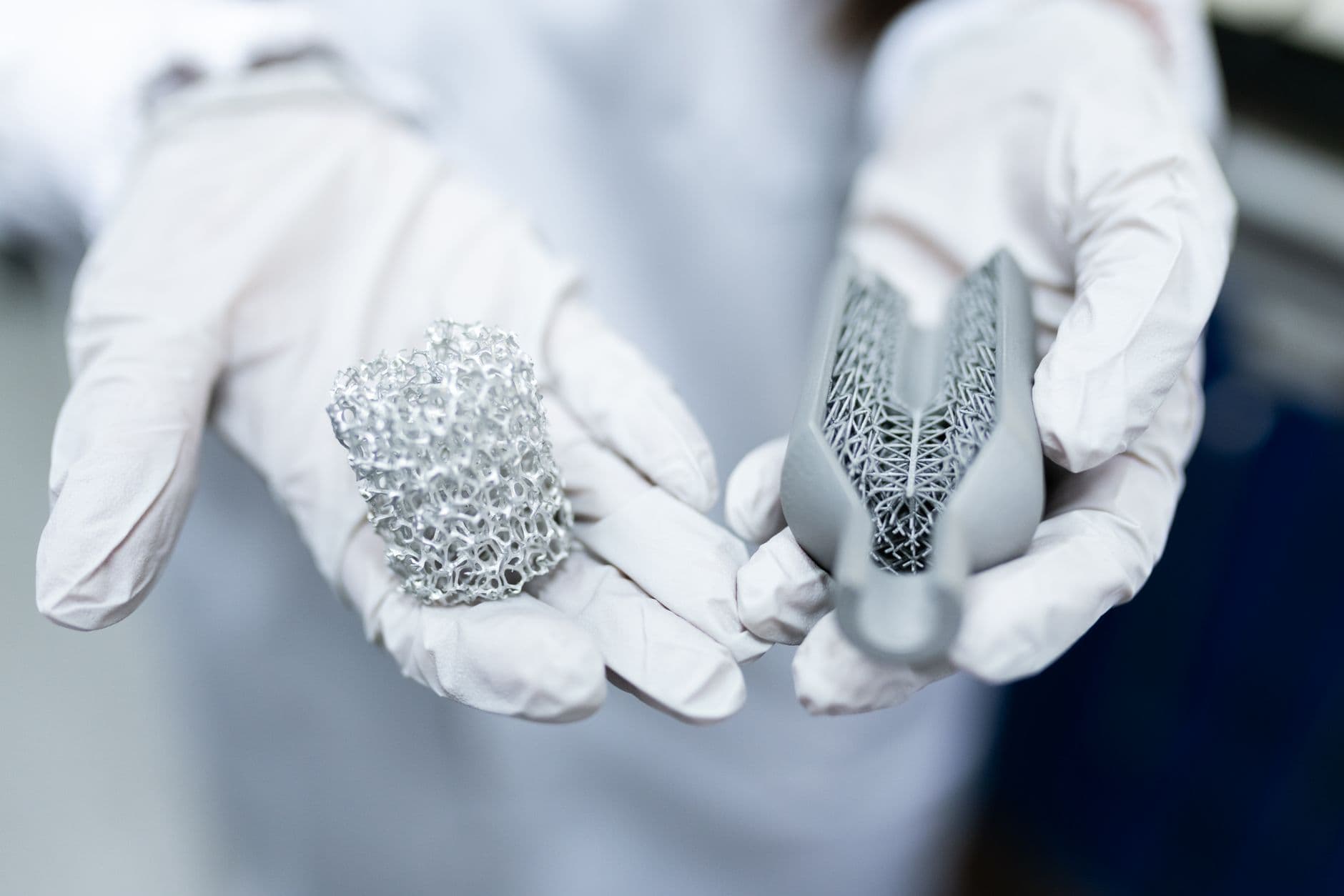
There's a kind of 3D printer that can print a nut already threaded onto its bolt. In one go. No supports. You pull it out of the machine, brush it off, and spin the nut.
You just can't really put one in your garage.
That's the deal with SLS and MJF — the two big "powder" printing methods. Here's SLS vs MJF in one breath: both melt nylon powder layer by layer, both print without supports, and both are fantastic at threads and moving parts. MJF is usually smoother, a little more consistent, and cheaper per part, but it only comes in grey or black. SLS can be dyed and has desktop machines — at about $25k.
For most of us, both mean the same thing: you upload a file to a print service and it shows up in the mail.
So when's that worth doing? Let's get into it.
How powder printing works
SLS (selective laser sintering): a thin layer of nylon powder gets spread across a bed, and a laser traces the part, fusing the powder where it hits. New layer, repeat. The un-melted powder just stays there, packed around the part.
That's the magic. The loose powder is the support. Which is why you can print a nut on a bolt, a chain, a hinge, a gearbox — fully assembled, all at once.
MJF (Multi Jet Fusion, made by HP): same powder bed, different trick. Instead of a laser, an inkjet head sprays a "fusing agent" where the part goes and a "detailing agent" along the edges. Then an infrared lamp sweeps across, and only the inked powder melts. Whole layer at once.
Both mostly print nylon — PA12 and PA11 — which is the same family of plastic as nylon filament, just in powder form.
SLS vs MJF, head to head
| | SLS | MJF | |---|---|---| | Color | White/grey, can be dyed almost any color | Grey, can only be dyed black | | Surface roughness | ~15–25 µm Ra | ~10–15 µm Ra (smoother) | | Strength (PA12, flat vs vertical) | 48 / 42 MPa | 48 / 48 MPa | | Min wall | ~0.7 mm | ~0.6 mm | | Machine cost | ~$25k desktop, $200k+ industrial | $350k–$600k |
Sources: Hubs, Xometry, Makelab, Formlabs.
Look at that strength row. MJF parts are about as strong standing up as lying down. SLS parts lose a little vertically. Both are waaayyy more even than FDM, which is a big deal for a thread — a printed FDM bolt loves to snap along a layer.
Cost-wise, it's all quotes and it changes constantly. In one example Xometry published, the same part came out $101.64 in SLS and $45.13 in MJF. Don't treat that as a rule. Just check both when you quote.
Clearances for threads and moving parts
This is the number that matters if you're printing a nut and bolt in one go — the gap between the parts so they don't fuse together.
| Source | Printed-in-place / moving | Assembled after printing | |---|---|---| | HP (MJF) | 0.7 mm (down to 0.3 mm for thin walls) | 0.4 mm | | Formlabs Fuse (SLS) | 0.3–0.6 mm depending on size | — | | Shapeways (SLS PA12) | 0.5 mm | — | | JLC3DP (SLS/MJF) | 0.6 mm | 0.2–0.4 mm |
So, rule of thumb: about 0.5–0.7 mm for parts printed together that need to move. About 0.2–0.4 mm for parts you print separately and screw together later. Check the specific service's guide before you upload — HP's own design guide is a solid read.
For printed threads specifically, JLC3DP calls M6 the minimum. Some services go down to M3 for SLS. Below that, or for anything you'll screw in a lot: brass heat-set inserts work great in SLS and MJF nylon — and JLC3DP will even install M3–M5 inserts for you.
Can you own one?
Kind of. If you've got the money.
- Formlabs Fuse 1+ 30W: desktop SLS, starter package around $25k.
- Sinterit Lisa X: about $29k.
- MJF: HP's machines are industrial, in the hundreds of thousands. Not happening.
There was a $2,999 desktop SLS on Kickstarter — the Micronics Micron. Formlabs bought the company in July 2024, cancelled the campaign, and refunded backers. It never shipped.
Damn.
So no. A hobby SLS isn't here yet. Send it out.
What about metal?
There are a few ways to 3D print metal:
- SLM / DMLS: a laser melts metal powder. Basically SLS for steel, aluminum and titanium.
- Binder jetting: glue metal powder together, then sinter it in a furnace. Parts shrink about 20% in the furnace.
- Metal filament: filament packed with metal powder (like BASF's Ultrafuse 316L) that prints on a normal FDM printer — then has to be debound and sintered, usually by a service.
Here's the thing about threads in metal prints: they basically don't work as printed. Protolabs says it straight: as-printed metal threads "are rarely functional." The standard move is to print the hole a little small and tap it after, or machine the threads.
Should you ever print a metal bolt?
For a standard size?
Hell no.
A hardware store M6 costs less than the shipping on a printed one, it's stronger, and the threads are perfect. Even services that print metal recommend tapping the threads after.
Metal printing makes sense for the weird stuff — a custom bracket with the mounting holes exactly where you need them, a part with internal channels, a one-off replacement for something nobody makes anymore. Design it, print it, tap the holes, add a real bolt.
How ordering from a print service works
It's waaayyy easier than it sounds:
- Upload your STL or STEP. Craftcloud compares quotes from 150+ services at once. JLC3DP, PCBWay and Xometry all take direct uploads too.
- Pick the process and material. For threads and moving parts, PA12 in MJF or SLS is the default.
- Check your clearances against that service's design guide. This is where most first orders go wrong.
- Order a test part first if it's a fit-critical thing. Cheap nylon parts on some services start at a dollar or two plus shipping.
Which printer for threaded parts?
| | FDM | Resin | SLS | MJF | Metal | |---|---|---|---|---|---| | Smallest reliable printed thread | ~M5 | M6 (M3 with tuning) | ~M6 | ~M6 | Tap it | | Best at | Cheap, fast, heat-set inserts | Fine detail, smooth threads | Print-in-place, tough nylon | Smoother, cheaper per part | Real metal strength | | Weak spot | Layer lines | Brittle, no heat-set inserts | Grainy finish | Grey or black only | Cost, threads need tapping | | How you get it | You own it | You own it | Service (or $25k) | Service | Service |
If you've got FDM at home, that's still the workhorse — here's which filament to use for threads. Resin when you need fine detail. Powder when you want a working, moving, threaded thing in one print.
And whichever one you pick, the thread is the same math. Our bolt generator, the Nasty Bastard, lets you dial in the printed clearance yourself — set it to the service's number, export the STL, upload.
So what would you print if supports weren't a thing?
Frequently asked questions
- What's the difference between SLS and MJF?
- Both fuse nylon powder layer by layer with no supports. SLS uses a laser; MJF (HP) sprays a fusing agent and melts each layer with an infrared lamp. MJF parts are usually smoother, slightly more consistent in strength, and often cheaper per part, but come only in grey or black. SLS parts can be dyed and desktop SLS machines exist.
- What clearance do SLS and MJF need for moving parts?
- Roughly 0.5–0.7 mm for parts printed together that need to move (HP recommends 0.7 mm for MJF), and about 0.2–0.4 mm for parts printed separately and assembled later. Always check the specific print service's design guide.
- Can you 3D print threads with SLS or MJF?
- Yes, and they work well because the parts are far more even in strength than FDM and there are no supports to clean out of the threads. Many services recommend M6 as the smallest printed thread. For smaller or frequently used threads, heat-set brass inserts work in SLS and MJF nylon.
- Should I 3D print a metal bolt?
- Not for standard sizes — a store-bought bolt is cheaper, stronger, and has better threads. As-printed metal threads are rarely functional, so services tap or machine them anyway. Metal printing makes sense for custom one-off parts, with the holes tapped after printing.