Props you up.
Peels away clean.The free breakaway support editor for 3D prints.
Your slicer's supports weld themselves to the one face you actually gave a damn about.
These don't.
Drop in an STL and The Wingman parks a thin fin under every overhang. Each one pinches to a 0.4 mm waist right under your part, so it snaps off clean and leaves a nub instead of a scar.
Then you're the boss. Drag them around, resize one or all of them, delete the ones you don't trust.
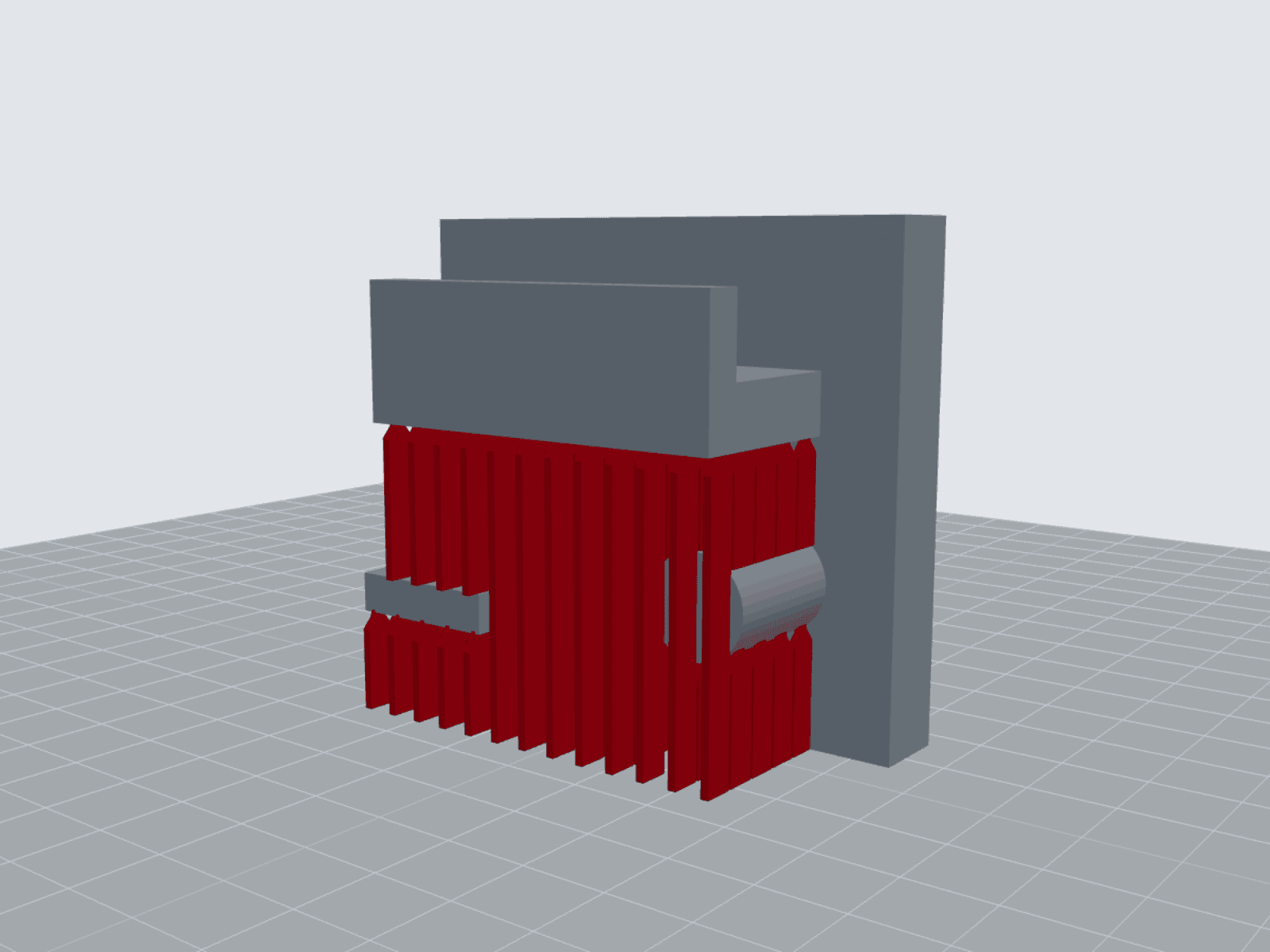
Every overhang gets a wingman.
It breaks where we told it to.
Slicer support is a mat. It grabs your whole face and hangs on.
A wingman touches your part with one tiny pad. 0.4 × 1.2 mm, smaller than a grain of rice.
Just under that pad the fin pinches down to a 0.4 mm waist. That's the weak spot, on purpose. Bend it across the thin side and it lets go up there, half a millimeter from your part.
Nub, not scar.
Same fins that hold up the Tape Daddy's clip and hooks while they print.
Designing the supports into the part yourself? The designed supports rule of thumb covers it.
| Compare | Slicer supports | A wingman |
|---|---|---|
| Touches your part | A whole interface layer | One 0.4 × 1.2 mm pad |
| Breaks | Wherever it gives up | At the 0.4 mm waist |
| You control | Density, pattern, and a prayer | Every single fin |
| Leaves behind | A rough patch to sand | A small nub |
Four steps. One coffee.
Load it
STL, 3MF or OBJ. It opens right in your browser. Nothing uploads, ever.
Lay it flat
Click the face that goes on the bed. Spin it 90° if you need to.
Place your wingmen
Auto-place covers everything past 45°. Then drag, resize or delete whatever you want.
Export
One STL, a slicer-ready 3MF, or just the supports as STEP for your CAD.
Designed it in Shapr3D? Fusion? Cool.
Export just the supports as STEP. They land in your model as real solid bodies, in the exact spot you placed them.
Merge them in, or keep them as their own part. Your call.
Want it right inside Blender or Fusion instead? Tell us what you design in when you sign up. Enough votes and that plugin's next.
Fair questions.
- Is it actually free?
- Yep. Your email gets you in. No account, no card, no trial timer.
- Does my model get uploaded anywhere?
- Nope. It loads, gets its supports and exports right in your browser. We never see the file, which also means we can't lose it.
- Which slicers does it work with?
- Bambu Studio, OrcaSlicer, PrusaSlicer and Cura. The STL works anywhere. The 3MF opens as one object with the supports already fused on.
- How's this different from my slicer's supports?
- Slicer supports are a mat with an air gap you tune and hope about. Wingmen are actual geometry with a planned weak spot, so the break happens at the waist instead of across your nice face.
- Will the fins stay put while it prints?
- The tip pokes 0.25 mm into your part, so your slicer prints them as one piece. If a tall fin wobbles, make it longer instead of thicker. A fat neck just turns into a permanent feature.
- Can I use it with Shapr3D, Fusion or Blender?
- Yes, as a round-trip. Export STL or 3MF from your CAD, place your wingmen here, then bring them back as STEP solids. Same coordinates, so there's nothing to line up.