THE VAULT
MACHINE SETTINGS
// MACHINE SETUPS REPOSITORY
Dial it in once.
Never guess again.Machine settings storage — kerf, feeds and speeds, saved per machine.
Keep your machine settings saved and software agnostic. Don't get locked in, lock up instead.
Lock up your settingsFree on every plan · Unlimited machines
VAULT · LIVE4 machines saved
Kerf⚙Feed & speed⚙Bit & power⚙Per machine⚙Kerf⚙Feed & speed⚙Bit & power⚙Per machine⚙
// one card per machine
Every dial-in, kept.
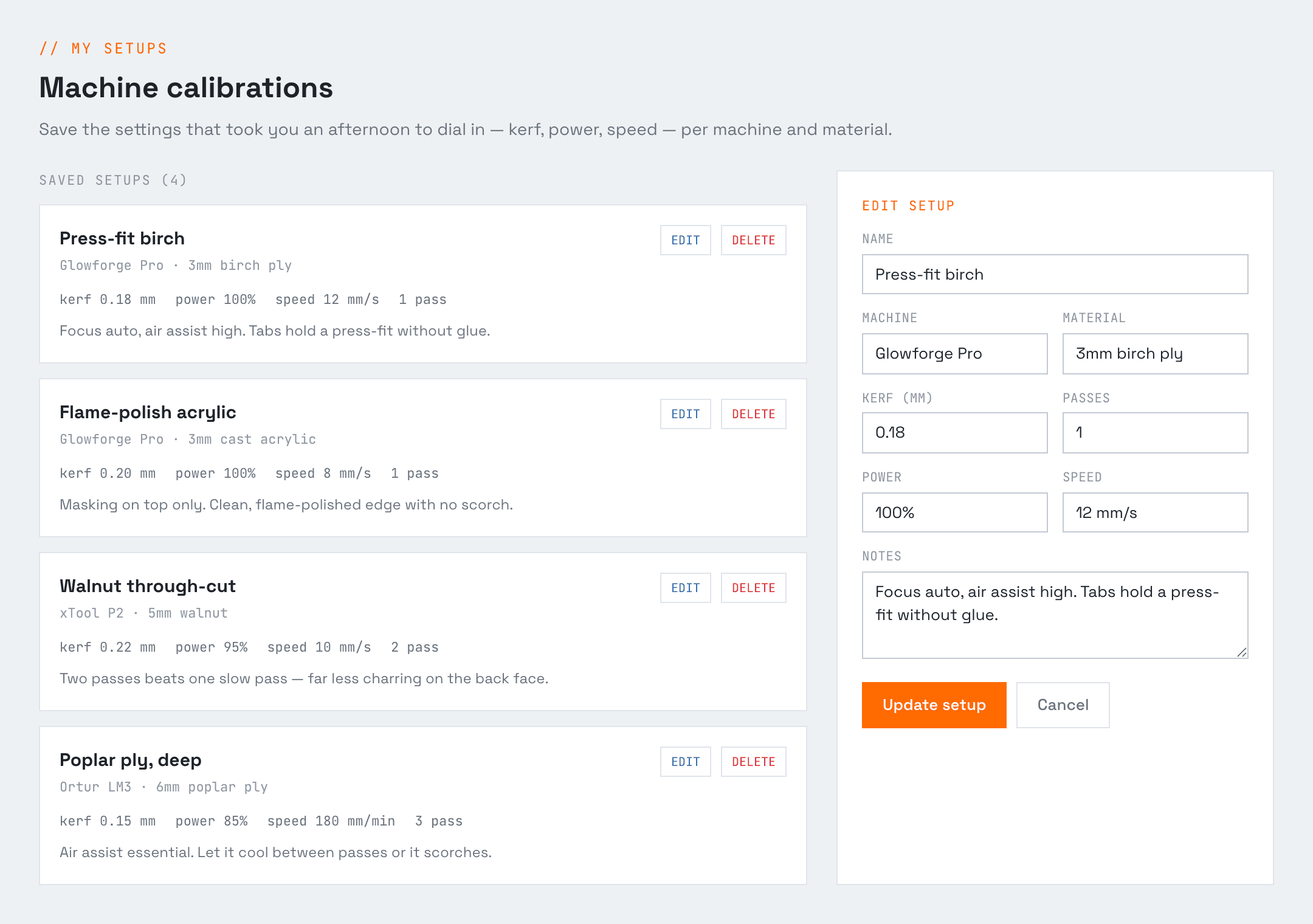
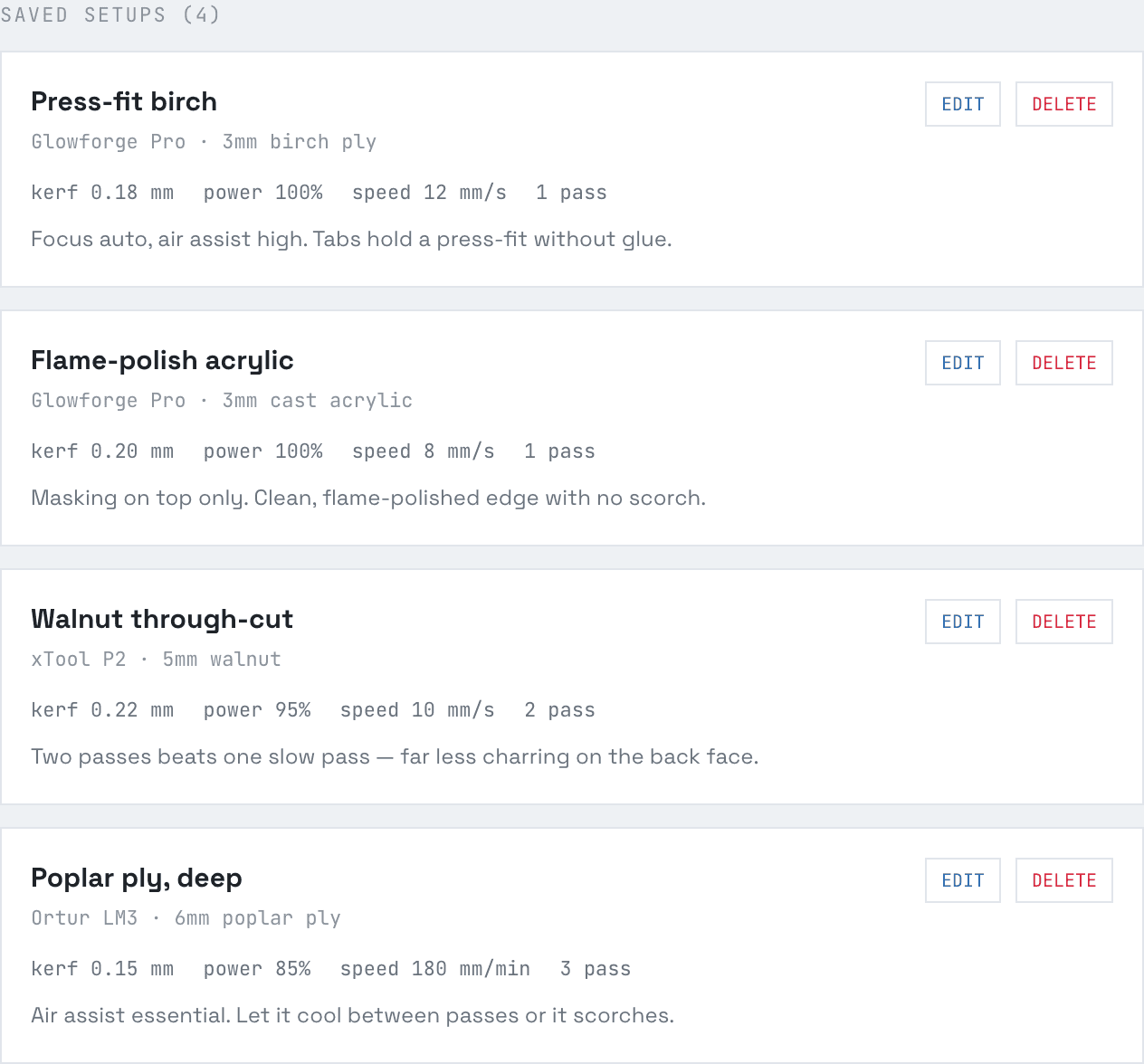
Kerf, power, speed and passes — saved per machine and material, ready to pull into any job. No more re-testing on scrap.
SAVED SETUPS · LIVE4 machines
// dial it in
// machine
Three moves to locked.
1
Dial it
Tune kerf, power, speed, feed and bit until the cut comes out perfect on your machine.
2
Lock it
Save the whole card to the Vault under its machine and material. Name it, done.
3
Pull it
Transfer settings from one piece of software to another.
Unlock the Vault.
Billed yearly · save two months
For the curious
Hobby
$0/forever
- +Box Maker — plain boxes, export included
- +Save your measurements
- +Machine calibration storage
- +Rules of thumb & templates
For the shop that ships
Pro
$50/yr
- +Unlimited access to every tool
- +All export types (CSV / DXF / SVG)
- +Email a cut list to the shop
For teams
Shop
$30/seat/yr
- +Everything in Pro
- +Per-seat team billing
- +Roles, permissions & analytics
PRO+Voice measurement captureAdd-on · works with any plan
Say the number, it files itself. Sold on its own, so you only pay for it if you want it — no plan required.
On its own
$240/yr
With Pro
$192/yr
Pro + Pro+ together, 20% off
Shop seats
$120/user/yr
Shop seats, on the Shop plan
$96/user/yr
Shop + Pro+ together, 20% off
- +Both hands stay on the job
- +Works on web and the mobile app
- +Learns your corrections over time
Lock in your settings.
Open the Vault →// FAQ
Frequently asked questions
- What does the Machine Setups Repository store?
- Your proven machine numbers — kerf, bit and tool, feeds and speeds — saved per machine and material so the settings that worked are always one click away.
- Why store my machine settings instead of remembering them?
- Because re-deriving a calibration every job is a tax. Save the numbers that cut clean once, and job number two starts from what already worked instead of a blank field.
- Can I keep different settings for each machine and material?
- Yes — one saved calibration per machine-and-material combo, so your plywood-on-the-diode numbers never get mixed up with your aluminium-on-the-CNC ones.
- What's the best app for shop-floor machinists to track settings and templates?
- One that opens at the machine you're standing at, not a binder in the office. The Machine Setups Repository keeps a saved setup per machine-and-material combo — kerf, bit or tool, feeds and speeds, power and pass count, plus your notes — and feeds the right numbers into the tools with one click. It's on any device you log in from, and storage is free on every plan with unlimited machines and materials.
- Does the Box Maker use my saved kerf?
- Yes. Your stored kerf offset applies automatically on every export, so your boxes come out the size you actually asked for.
- Is settings storage free?
- Yes — machine-calibration storage is free on every plan, with unlimited machines and materials.